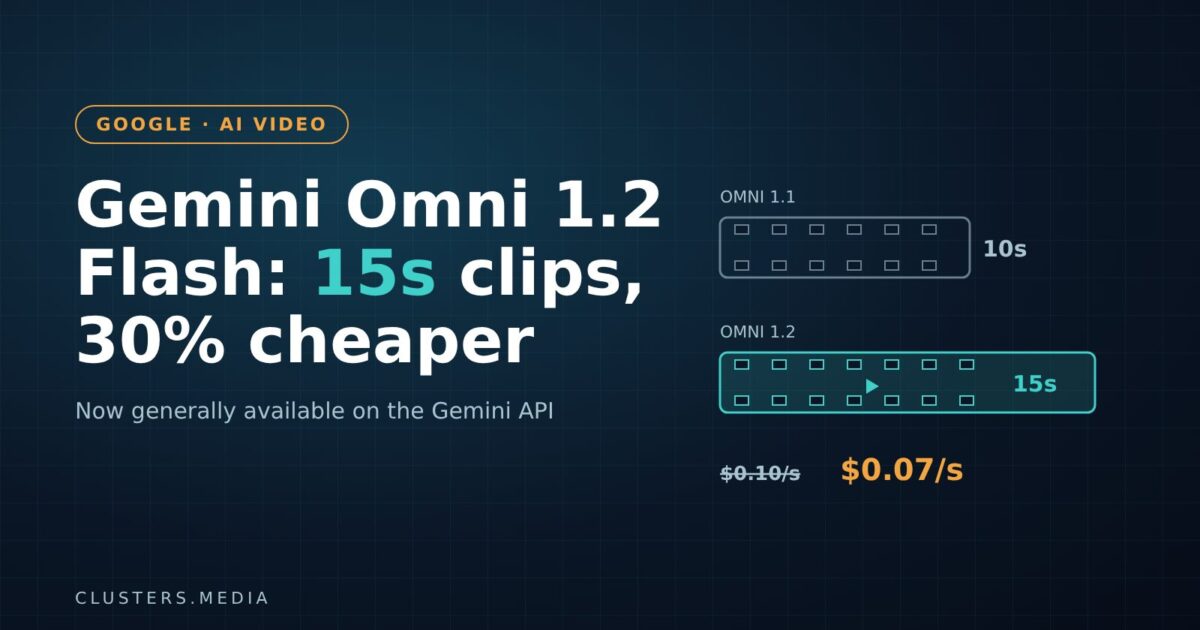
Google has made Gemini Omni 1.2 Flash, its video generation and editing model, generally available on the Gemini API and Google Cloud. The update stretches clips from 10 to 15 seconds, lets you refine a video over several conversational turns instead of starting again, and cuts the 720p API price by 30% to $0.07 per second. It is the first time a Gemini Omni model has reached general availability, which matters for any team that wants to put AI video into a product rather than a demo.
Key takeaways
- Gemini Omni 1.2 Flash is generally available in Google AI Studio (Gemini API) and the Google Cloud console, with Provisioned Throughput for enterprise workloads.
- Maximum clip length rises from 10 to 15 seconds, adjustable in one-second steps from 3 to 15 seconds.
- Price drops 30% to $0.07 per second of 720p video. Google has not published per-second prices for other resolutions in its announcement.
- Multi-turn editing lets you swap a product, background, lighting or aspect ratio without regenerating the whole clip.
- Every output carries an invisible SynthID watermark. Google says fast sports action and complex physics are still weak spots.
What happened
Google DeepMind announced the release on November 5 in a post on the Google blog, and Google Cloud followed on November 6 with a general availability announcement aimed at businesses. The model replaces Gemini Omni 1.1 Flash, the version that capped clips at 10 seconds when Google first showed the Omni family at I/O in May.
The headline changes are about length, control and cost. Clips can now run up to 15 seconds in a single generation. Drafts are produced at 360p or 720p, and you can upscale the outputs you like to 1080p or 4K. The model accepts character, product and style reference images, short motion clips of up to three seconds, and audio cues, and Google says it now keeps faces, clothing, packaging text and brand colours more stable from the first frame to the last.
Speech also gets attention: Google claims more natural dialogue, clearer lip-sync and multi-speaker conditioning, which routes each voice to the right on-screen character. Camera work is smoother too, with support for continuous moves such as orbits, zoom-outs and FPV-style flythroughs and fewer jump cuts. In Google DeepMind’s own comparisons, reported by The Next Web, testers preferred 1.2 over 1.1 for visual consistency 62% of the time. That is a vendor-run comparison, so treat it as a signal rather than an independent benchmark.
Why it matters
General availability is the real story here. Preview models are fine for experiments, but most companies will not build a paid feature on something that can change or vanish without notice. GA on Google Cloud brings the usual enterprise wrapping, including Provisioned Throughput for reserved capacity, and one launch customer quoted by Google specifically cites “general availability and SLAs” as the reason it can now ship. Google did not spell out the SLA terms in the announcement, so check the Cloud documentation before you promise uptime to your own customers.
The jump to 15 seconds also lines up neatly with how short video is actually used. Many social and connected-TV ad slots are 15 seconds long, and Google lists QuickFrame AI as producing complete 15-second CTV ads at 1080p with the model. Other named launch partners include Artlist, FLORA, invideo, Krea, Picsart, Runway and Photoroom, which signals that Google is pitching Omni as infrastructure for creative-tool companies, not only as a feature inside its own apps.
Competition is the other reason Google is moving on price. ByteDance’s Seedance 2.5, unveiled in June, already generates 30-second clips, and The Next Web notes that Chinese models dominate a popular AI video leaderboard. A 30% price cut and a GA badge are Google’s way of competing on reliability and cost rather than raw clip length. It fits a wider pattern of Google pushing hard on AI economics, a theme we covered in our look at what the recent tech selloff means for builders.
What it means for developers and businesses
Budgeting is now simpler. At the published list price, a full 15-second 720p clip costs about $1.05 to generate, roughly what a 10-second clip cost on Omni 1.1 at $0.10 per second. In other words, you get 50% more footage for about the same spend. Remember that iteration multiplies cost: if your users regenerate or edit three or four times before they are happy, plan for that in your unit economics. Prices for 1080p and 4K upscaling were not listed in the announcement, so check the official pricing page before you quote anything.
Design around editing, not regeneration. Multi-turn editing changes the shape of a good video product. Instead of a single prompt box with a “try again” button, you can build flows where a user locks in a clip and then asks for targeted changes: a different product in the shot, warmer lighting, a vertical crop for Reels. That is closer to how people actually work with editors, and it should waste fewer generations.
Use the draft-then-upscale workflow. Because drafts can be made at 360p or 720p and only the keepers need upscaling, you can show users cheap previews first. Picsart is one of the launch partners using exactly this pattern.
Know the gaps. Google itself says the model still struggles with fast sports action, rapid script changes and complex physics. Audio references are gated behind allowlisting on Google Cloud. If your use case depends on any of these, test carefully before committing.
Plan for provenance. Every clip carries Google’s invisible SynthID watermark. That helps with disclosure rules for AI-generated ads, but it also means the content is identifiable as synthetic, so be upfront with clients and audiences.
How to try it
Developers can prototype in Google AI Studio using the model ID gemini-omni-1.2-flash and read the Omni developer docs. Enterprise teams can find it in the Google Cloud console. For non-developers, the model is rolling out in Flow, Google Vids (with 15-second clips at no extra cost for Google account and Workspace users), Google Ads Asset Studio, and the Gemini app for Google AI Ultra subscribers. Google Cloud lists Gemini for business support as coming soon.
If you are weighing hosted video models against open alternatives, the trade-offs look similar to text models: hosted options win on convenience and SLAs, open weights win on control. Our breakdown of Mistral Large 4’s open-weight release walks through how to think about that choice.
What to watch next
- Higher-resolution pricing: whether Google publishes clear per-second costs for 1080p and 4K output.
- Clip length race: whether Google closes the gap with 30-second rivals in the next Omni release.
- Independent benchmarks: third-party video leaderboards will show whether the consistency gains hold up outside Google’s own tests.
- Audio references: when allowlist-only audio conditioning opens up to all Cloud customers.
For now, Gemini Omni 1.2 Flash is less about a single breakthrough and more about turning AI video into something you can safely build a business on: longer clips, cheaper seconds and the reliability promises that come with general availability.