Developer Tools · AI Coding · Comparison · April 2026
Two years ago, “AI coding assistant” meant GitHub Copilot suggesting the next line. That era is over. In 2026, Claude Code and Cursor are the two most debated tools in software development — each dominant in different workflows, each with a passionate following, and each genuinely better than the other in specific situations. This is the comparison that actually tells you which one to use.
The Short Answer
The One-Line Summary
- Choose Claude Code if you want the most capable autonomous coding agent for complex, multi-file tasks and you are comfortable in the terminal.
- Choose Cursor if you want the best integrated IDE experience within a visual editor and need AI embedded in your daily editing workflow.
- Use both — which is what many senior developers actually do. Cursor as the daily editor, Claude Code for complex architectural work.
What They Actually Are
Claude Code
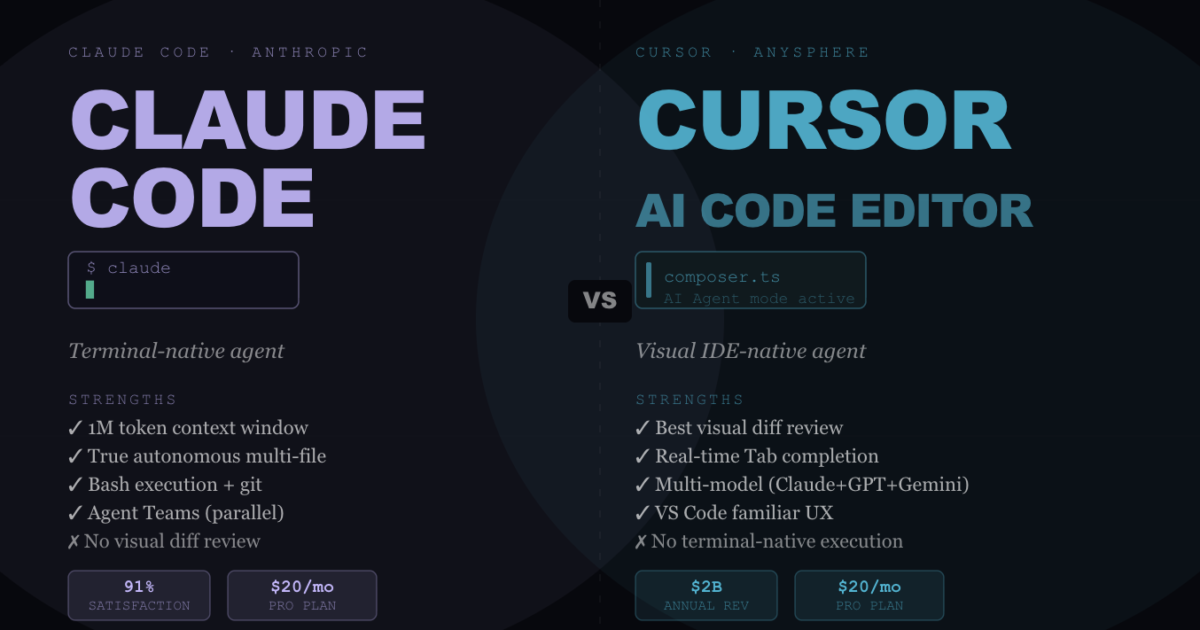
Claude Code is Anthropic’s terminal-native coding agent. It runs in your command line alongside any editor, reads your entire codebase, executes bash commands, interacts with git, and reasons through multi-step tasks using extended thinking. It has no IDE of its own — it works with whatever editor you already use. The 1 million token context window (GA since March 2026) means it can hold thousands of source files simultaneously.
Cursor
Cursor is a fork of VS Code rebuilt from the ground up with AI at its core. It provides real-time inline completions (Tab), a chat interface (Cmd+L), inline editing (Cmd+K), and an Agent/Composer mode for autonomous multi-file changes. It indexes your codebase locally and runs on Claude Sonnet 4.6, Opus 4.6, GPT-5.3, and Gemini 3 Pro — you pick the model per task.
Head-to-Head Comparison
| Feature | Claude Code | Cursor |
|---|---|---|
| Interface | Terminal — no IDE required | VS Code fork — full visual editor |
| Context window | 1M tokens (entire monorepos) | Large project indexing via local model |
| Model choice | Claude Sonnet 4.6 / Opus 4.6 / Haiku 4.5 | Claude, GPT-5, Gemini — your choice |
| Multi-file editing | ✅ Native — reads and edits across all files | ✅ Composer/Agent mode |
| Code execution | ✅ Runs bash commands directly | ✅ Terminal integration |
| Inline autocomplete | ❌ Not its focus | ✅ Best-in-class Tab completion |
| Visual diff review | ❌ Terminal output only | ✅ Accept/reject inline changes |
| Agent Teams (parallel) | ✅ Experimental — multiple simultaneous agents | ⚠️ Parallel subagents (beta) |
| Pricing — entry | $20/month (Pro) | $20/month (Pro) |
| Pricing — heavy use | $100–$200/month (Max) | $40/month (Business) |
| Developer satisfaction | 91% CSAT, NPS 54 | High — most popular IDE in dev community |
| Adoption (Jan 2026) | 18% of developers worldwide | 18% of developers worldwide |
Where Claude Code Wins
Large-Scale Refactors and Migrations
When you need to migrate an entire codebase from one framework to another, rename a pattern across hundreds of files, or refactor a core abstraction that touches everything — Claude Code’s 1M token context and terminal execution make it the clear choice. It understands the full architecture before making a single change, rather than working file-by-file.
Autonomous Multi-Step Tasks
Claude Code’s extended thinking capability lets it reason through intermediate steps before acting. For complex debugging sessions, architectural analysis of unfamiliar codebases, and writing comprehensive test suites from scratch — tasks where you need genuine reasoning, not just code generation — Claude Code’s autonomous depth is unmatched.
CI/CD and Scripted Workflows
Because it runs in the terminal, Claude Code integrates cleanly into scripts, pipelines, and automated workflows. You can invoke it programmatically, pipe it inputs, and capture its outputs — things a GUI editor simply cannot do.
Cost on Complex Tasks
Counter-intuitively, Claude Code can be cheaper than Cursor on genuinely complex tasks because its 1M context window and plan mode reduce the number of back-and-forth turns needed. For straightforward daily coding, Cursor’s integrated experience is more efficient. For intensive, long-running tasks, Claude Code’s per-session economics can be better.
Where Cursor Wins
Daily Development Flow
If you are writing code for 8 hours a day, the visual editor experience matters enormously. Cursor’s Tab completion, inline diffs, and Composer mode are deeply integrated into every moment of coding. Claude Code has no equivalent to the fluid edit-review-accept cycle that Cursor provides in a GUI.
Beginners and Visual Learners
Claude Code has a steep learning curve — effective use requires terminal fluency, understanding of how to write prompts for agentic tasks, and discipline around context management. Cursor’s VS Code familiarity eliminates that barrier entirely. If you already know VS Code, you can be productive in Cursor in minutes.
Multi-Model Flexibility
Cursor lets you switch between Claude, GPT-5, and Gemini per task. If one model handles a specific task better, you can route it there without switching tools. Claude Code is Claude-only.
Team Adoption
Getting a team onto Cursor is straightforward — it installs like VS Code and works like VS Code. Getting a team onto Claude Code requires terminal onboarding, CLAUDE.md setup, and teaching effective agentic prompting. The adoption overhead is real for non-developer teams.
Pricing — The Real Numbers
Current Pricing — April 2026
- Claude Code Pro ($20/month): Terminal Claude Code access, Sonnet 4.6 + Opus 4.6, token budget resets every 5 hours. Best for: individual developers doing focused coding sessions.
- Claude Code Max 5x ($100/month): 5× Pro’s token budget, priority access, early features. Best for: developers hitting Pro limits 2–3× per week.
- Claude Code Max 20x ($200/month): 20× Pro’s token budget — rate limits stop being a concern. Best for: power users treating Claude Code as primary environment all day + Agent Teams workflows.
- Claude Code API (pay-as-you-go): Sonnet 4.6 at $3/$15 per MTok, Opus 4.6 at $5/$25 per MTok. With prompt caching, effective costs drop 50–90%. Best for: developers using Claude Code occasionally or building automated workflows.
- Cursor Pro ($20/month): Unlimited completions, agent mode, 500 premium requests/month. Best for: most individual developers.
- Cursor Business ($40/user/month): Team features, admin controls, SSO. Best for: engineering teams.
The key pricing insight: Cursor’s pricing is simpler and more predictable. Claude Code’s economics depend heavily on how you use it — Sonnet vs Opus model choice, prompt caching configuration, and session management can cause two developers to pay 5–25× different amounts for similar workflows.
The Verdict — Which One Is Right for You?
You should use Claude Code if: You are comfortable in the terminal, work on complex multi-file architectural tasks, need to run Claude autonomously in scripts or pipelines, or regularly do large-scale refactors or codebase migrations. The 1M context window and genuine agentic depth are hard to match.
You should use Cursor if: You want the best integrated daily editor experience, prefer visual diffs, work across multiple models, or need to onboard a team without terminal overhead. Its VS Code foundation makes it immediately productive for anyone already in that ecosystem.
You should use both if: You are a senior developer or power user. The most effective 2026 workflow reported by many developers is Cursor for daily editing, Claude Code for complex architectural sessions. They complement each other well — and at $20/month each, the combined cost is still half what many enterprise tools charge per seat.
FAQ
Is Claude Code better than Cursor?
It depends on your workflow. Claude Code has a higher satisfaction score (91% CSAT, NPS 54) and is better for autonomous complex tasks with its 1M token context window. Cursor is better for integrated daily development with visual diffs and inline completions. Many developers use both — Cursor for everyday coding, Claude Code for complex architectural work.
How much does Claude Code cost in 2026?
Pro starts at $20/month, Max 5x at $100/month, Max 20x at $200/month. API pay-as-you-go starts at $3 per million input tokens for Sonnet 4.6. Prompt caching can reduce effective costs by 50–90%. There is no permanent free tier for terminal Claude Code.
Does Cursor use Claude?
Yes — Cursor runs on Claude Sonnet 4.6 and Opus 4.6 among other models including GPT-5.3 and Gemini 3 Pro. You can select which model to use per task. This makes Cursor a multi-model editor that happens to support Claude, while Claude Code is Claude-only.
Can I use Claude Code without the terminal?
Not in its native form — Claude Code is terminal-native by design. However, it can be used alongside any editor you already use (VS Code, JetBrains, Neovim, etc.). Some third-party integrations provide GUI wrappers for Claude Code, but the official product is command-line first.
What is Claude Code’s context window in 2026?
1 million tokens, generally available since March 2026. This means Claude Code can hold thousands of source files, entire monorepos, and full documentation sets simultaneously — without you needing to manually manage which files are loaded.
Sources: JetBrains AI Pulse Survey Jan 2026, Ariel Digital Marketing comparison, SitePoint Claude Code vs Cursor 2026, Verdent AI pricing guide, SSD Nodes Claude Code pricing, NxCode Claude Code guide, roadmap.sh vibe coding tools · April 2026 · clusters.media